|
Name:
Filmora: AI Video Editor&Maker
|
|
|
Version:
14.9.65
|
Price:
Free
|
Filmora: AI Video Editor & Maker - Professional App Review
Latest Updates
Recent updates have introduced enhanced AI-powered tools including improved motion tracking, advanced color matching, and smarter auto-reframe functionality. The app now offers expanded template libraries with trending social media formats and improved export quality options. Performance optimizations have been implemented for smoother editing on mid-range devices, along with new transition effects and audio enhancement features.
Description
Filmora by Wondershare is a comprehensive mobile video editing application that brings professional-grade editing capabilities to smartphone users. Designed for both beginners and experienced creators, the app combines intuitive interface design with powerful AI-assisted editing tools. It serves as a versatile solution for creating social media content, vlogs, short films, and personal video projects with studio-quality results directly from your mobile device.
Features
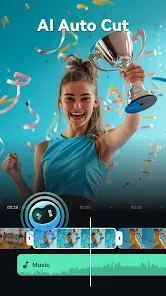
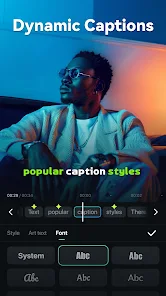
- AI-powered Editing Tools: Automated scene detection, smart cropping, and AI-generated captions
- Advanced Effects Library: Premium filters, transitions, stickers, and animated elements
- Multi-track Timeline: Layer videos, images, audio, and text with precision control
- Audio Enhancement: Background noise removal, voice enhancement, and music synchronization
- Speed Control: Create slow-motion or fast-forward effects with customizable speed curves
- Keyframe Animation: Professional animation controls for custom movement and effects
- Export Options: Multiple resolution settings up to 4K with optimized compression
- Template Library: Pre-designed templates for popular platforms like TikTok, Instagram, and YouTube
Pros and Cons
Pros:
• User-friendly interface with minimal learning curve
• Robust free version with substantial functionality
• Regular updates with new features and content
• Excellent performance on compatible devices
• Comprehensive tutorial resources and customer support
• Cross-platform compatibility with desktop version
Cons:
• Premium features require subscription purchase
• Watermark on exports in free version
• Can be resource-intensive on older devices
• Some advanced features have steep learning curve
• Limited cloud storage compared to competitors
Review Summary
Filmora stands out as a top-tier mobile video editing application that successfully balances professional capabilities with accessibility. The AI integration significantly reduces editing time while maintaining creative control, making it ideal for content creators who need to produce quality videos quickly. While the subscription model might deter some users, the free version offers substantial value for casual editors. The app's continuous improvement through updates and its extensive feature set make it a compelling choice in the crowded video editing market, particularly for social media creators and mobile journalism applications.