|
Name:
AI Video Editor - VivaCut
|
|
|
Version:
4.3.6
|
Price:
Free
|
AI Video Editor - VivaCut: Professional Video Editing at Your Fingertips
Latest Updates
The development team has recently introduced enhanced AI-powered object removal capabilities, improved timeline editing performance for smoother operation, and expanded the library of premium visual effects. Additional transitions and keyframe animation tools have been refined for more precise control, alongside optimizations for faster export times on mid-range devices.
Description
AI Video Editor - VivaCut is a robust mobile video editing application designed for both casual creators and serious videographers. It distinguishes itself with a strong focus on professional-grade features like keyframe animation and multi-layer editing, all wrapped in an interface that strives to be intuitive. The "AI" in its title is well-earned, leveraging artificial intelligence to simplify complex tasks such as background removal, automatic editing, and advanced effects, making high-quality video production accessible on a mobile device.
Key Features
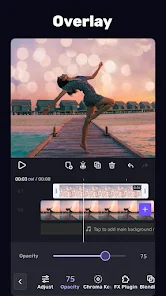
- Advanced Timeline Editor: Multi-layer support for videos, images, stickers, text, and audio with precise frame-by-frame control.
- AI-Powered Tools: Features like AI Portrait (background removal/changing), AI Style Transfer, and smart object tracking.
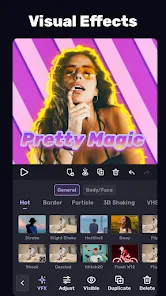
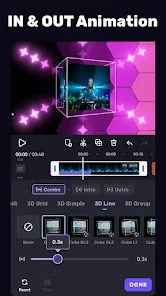
- Professional Visual Effects: Includes keyframe animation for custom movements, a wide array of filters, FX, and transitions.
- Curved Video Editing: Unique support for adding curved and animated subtitles to videos.
- Audio & Sound: Ability to extract audio from videos, add voiceovers, and access a royalty-free music library.
- Export Quality: Supports high-resolution video export up to 4K at 60fps without a watermark on the free plan.
Pros and Cons
Pros:
- Offers a surprisingly deep set of professional tools, notably keyframing and multi-layer editing, often missing in competitor apps.
- The free version is powerful and does not impose a watermark on exported videos, which is a significant advantage.
- The AI effects, particularly background removal, are generally effective and easy to use.
- Regular updates with new features, filters, and assets keep the app feeling fresh.
Cons:
- The interface, while powerful, can have a steeper learning curve compared to more simplistic editors.
- Some advanced features and premium asset packs require a subscription or one-time purchase.
- Performance, especially when using multiple high-resolution layers or complex effects, can be demanding on older devices.
Review Summary
AI Video Editor - VivaCut successfully carves out a niche as a semi-professional editing suite for mobile. It goes beyond basic trimming and filters, empowering users to create complex, multi-layered projects with precise animations and high-quality outputs. While the abundance of features may initially overwhelm absolute beginners, the payoff for those willing to learn is immense. The fact that it offers watermark-free exporting in its free tier is a major win for creators on a budget. For anyone looking to graduate from simple video editors to a more powerful, feature-rich platform on their Android device, VivaCut is an excellent and highly recommended choice.